PhonePilot
Mirror, tap, type, move files, share the clipboard and Quick Share. Android with PhonePilot, iPhone with BIM Pilot. One command line, one browser panel.
Request access$ phonepilot devices 02dc090e0404 android usb Redmi Note 9 emulator-5554 android emulator sdk_gphone64_arm64 $ phonepilot push report.pdf -> /sdcard/Download/report.pdf $ phonepilot clip push Mac clipboard -> phone $ phonepilot quickshare send photo.jpg $ phonepilot view # live mirror + control
USB or Wi-Fi. No app store, no account.
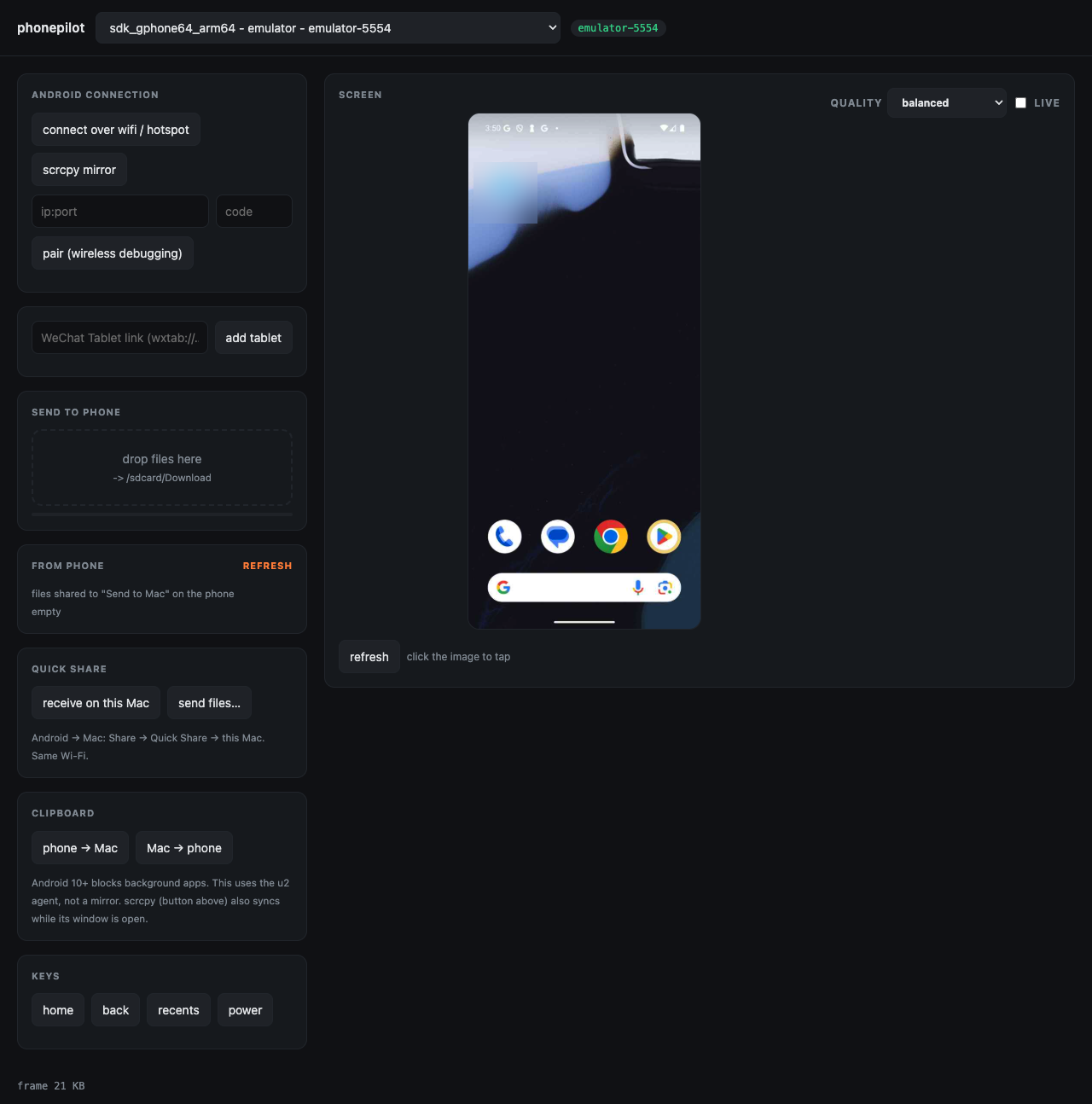
Live screen on the Mac with mouse and keyboard, built on scrcpy. In the browser panel: click the screenshot to tap.
Drag files onto the panel or phonepilot push. From the phone: Share → Send to Mac, then pull. Progress shown.
Copy on one side, paste on the other. Works with no mirror window open, including Android 10+.
Receive and send Google Quick Share on the Mac through NearDrop. Same Wi-Fi.
adb over Wi-Fi or the phone's hotspot. Pair once with Wireless debugging.
Every action is a CLI verb and an HTTP call: tap, type, swipe, screenshot, UI tree, SMS.


A Mac menu-bar app and an iPhone app that start and stop WebDriverAgent for you.
WebDriverAgent ready over USB, Wi-Fi and RemoteXPC from the menu bar.
The iPhone app starts, stops and checks the Mac side.
Send to Files › On My iPhone › BIM Pilot and back, from the same panel and CLI.
| Android | iPhone | |
|---|---|---|
| Live mirror + control | Yes (scrcpy) | Screen stream + taps (WebDriverAgent) |
| Files Mac ↔ phone | Yes | Yes (BIM Pilot app folder) |
| Clipboard sync | Yes, both ways | No |
| Quick Share / AirDrop | Quick Share via NearDrop | Use AirDrop |
| Requirements | macOS 14+, USB debugging on | macOS 14+, Xcode, Developer Mode on |